

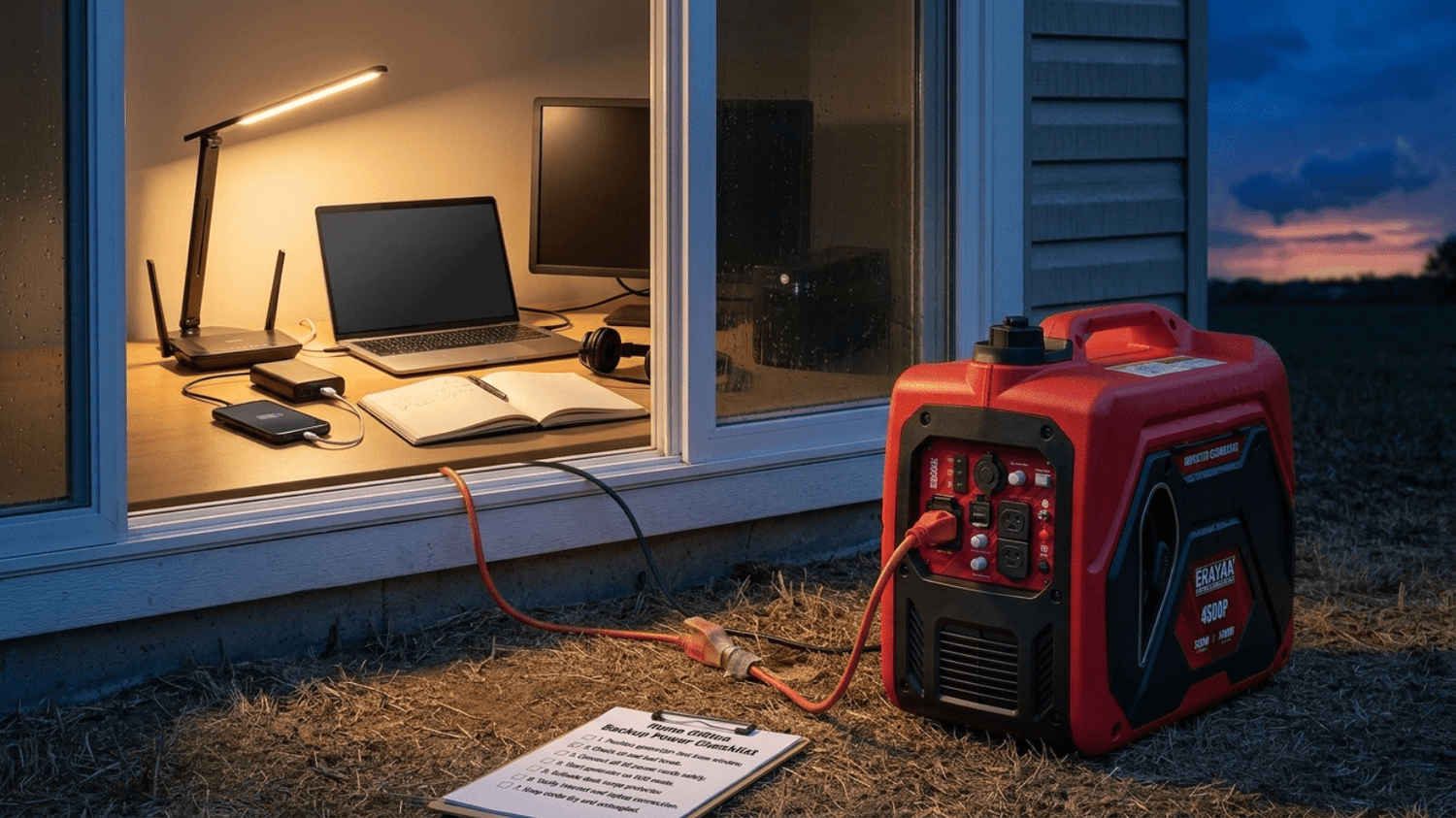
Home Office Backup Power: Keep Wi-Fi, Laptops, and Essential Electronics Running
A power outage can interrupt video meetings, remote work, online classes, client calls, file uploads, Wi-Fi access, security systems, and phone charging. A smart home office backup power plan helps you keep the essential electronics running without trying to power the entire house at once.
Quick Answer
For most home offices, the priority backup loads are the modem, Wi-Fi router, laptop, phone charger, small LED desk lamp, monitor, and optional UPS. A portable inverter generator can keep these essentials powered during longer outages, while a UPS can bridge short interruptions and help protect sensitive electronics during generator startup or load changes.
The Erayak 2400P is a compact choice for Wi-Fi, laptops, phones, lights, small electronics, and remote-work essentials. The Erayak 4500P offers more headroom for a broader home office plus refrigerator, fans, coffee maker timing, or other managed home backup loads. The 4500PD adds gasoline and propane flexibility, while the 6800 series supports larger home backup planning with 30A outputs and selected 120V/240V needs.
Why Home Office Backup Power Matters
Remote work depends on more than a charged laptop. Your internet modem, Wi-Fi router, phone, monitor, desk lighting, external hard drive, printer, security camera, and communication devices may all become part of your emergency work setup. A short outage can interrupt a meeting; a long outage can stop work for the day.
Keep Internet Online
A modem and router often use far less power than large appliances, making them practical priority loads during an outage.
Keep Work Devices Charged
Laptops, phones, tablets, monitors, and LED lights help maintain basic remote work, school, and communication.
Avoid Overloading
A focused backup plan powers the essentials first instead of stacking office devices with kitchen and HVAC loads.
What to Power First During an Outage
The best home office backup plan starts with priorities. Power what keeps you connected and working first, then add comfort or convenience loads only if your generator and cord setup have enough headroom.
| Priority Level | Devices | Why They Matter |
|---|---|---|
| Critical | Modem, Wi-Fi router, phone charger | Keeps communication, internet access, and emergency alerts available |
| Work essential | Laptop, external monitor, LED desk lamp, headset charger | Supports remote work, meetings, writing, design, and admin tasks |
| Data protection | UPS, external drive, NAS, small backup drive | Helps prevent sudden shutdowns and data loss |
| Comfort | Small fan, task light, phone power bank, small speaker | Improves work comfort without using large amounts of power |
| Optional | Printer, scanner, second monitor, desktop PC | Useful, but should be added only after essential loads are stable |
| Rotate separately | Coffee maker, microwave, kettle, space heater, refrigerator, freezer | Higher-demand loads should not be stacked with every office device at once |
How to Keep Wi-Fi and Internet Running
Keeping the internet online usually requires both your modem and Wi-Fi router. Some homes also have a mesh Wi-Fi node, fiber ONT box, network switch, or security gateway. During an outage, each device must receive power for the network to work.
| Internet Device | Backup Power Role | Setup Tip |
|---|---|---|
| Modem or fiber ONT | Connects your home to the internet provider | Power this first; Wi-Fi cannot work without the upstream device |
| Wi-Fi router | Creates your home wireless network | Keep it close to the modem or use a short, organized power path |
| Mesh Wi-Fi node | Extends coverage to the office area | Only power the node you need if generator runtime is limited |
| Network switch | Supports wired devices | Use only if your work setup needs wired Ethernet |
| UPS | Bridges short outages and startup transitions | Use it for modem and router if calls and uploads are critical |
Laptop, Monitor, and Phone Charging Setup
A laptop is usually easier to back up than a full desktop PC. Many laptops can work for hours on battery, then recharge during generator runtime. This makes them ideal for a home office emergency plan.
Recharge in Windows
Use the laptop battery when possible, then recharge during generator runtime to reduce constant load.
Use One Screen First
A single efficient monitor may be enough for emergency work. Add a second monitor only if needed.
Keep Power Banks Ready
Recharge phones and power banks while the generator runs so you have backup communication later.
Should You Use a UPS with a Generator?
A UPS can be useful for a home office because it provides short-term battery backup and helps bridge the gap between grid failure and generator startup. It can also keep your modem, router, and laptop dock online while you safely start the generator outdoors.
| UPS Use Case | Why It Helps | Important Note |
|---|---|---|
| Modem and router | Keeps internet alive during short outages | Good for video calls and upload continuity |
| Laptop dock and monitor | Prevents sudden disconnects | Keep the setup simple to extend UPS runtime |
| Desktop PC | Gives time to save files and shut down | Desktop systems may need more generator capacity and a stable UPS |
| External hard drive or NAS | Reduces data corruption risk | Shut down nonessential storage if outage will be long |
| Generator transition | Bridges startup and load changes | Some UPS units are sensitive to generator output; test your setup before an emergency |
Home Office Load Planning Table
Your actual wattage depends on the label and power adapter for each device. Use the table below as a planning structure, then verify your own equipment before relying on it during an outage.
| Device Group | Examples | Backup Power Strategy |
|---|---|---|
| Internet essentials | Modem, router, fiber ONT, mesh node | Power first; consider UPS for short interruptions |
| Work essentials | Laptop, monitor, dock, phone, headset | Use battery when possible, then recharge during generator runtime |
| Lighting | LED desk lamp, LED lantern, task light | Choose low-power lights instead of large room lighting |
| Data and storage | External drive, NAS, backup drive | Use only when needed and shut down safely |
| Office accessories | Printer, scanner, speakers, second monitor | Add only after critical loads are stable |
| Home comfort loads | Fan, refrigerator, coffee maker, microwave | Rotate separately; avoid stacking with all office electronics |
Safe Home Office Generator Setup
The safest way to use a portable generator for a home office is to keep the generator outdoors and power selected devices through properly rated cords or a properly installed transfer setup. Do not bring the generator closer to the office window just to shorten the cord.
| Setup Zone | What Goes There | What to Avoid |
|---|---|---|
| Generator zone | Generator outdoors on dry stable ground with exhaust pointed away | Garages, basements, crawlspaces, open windows, doors, vents, patios enclosed by walls |
| Cord route | Outdoor-rated grounded extension cord sized for the load | Thin indoor cords, damaged cords, wet plug connections, door pinch points |
| Home office zone | Modem, router, laptop, monitor, phone chargers, LED light | Overloaded power strips and tangled cords under chairs or desks |
| UPS zone | Modem/router UPS or workstation UPS | Connecting every appliance to one UPS without checking capacity |
| Load rotation zone | Coffee maker, microwave, fridge, freezer, fan, printer | Running high-demand loads at the same time as every office device |
Recommended Erayak Setup by Home Office Need
Erayak 2400P: Compact Home Office Essentials
Choose the Erayak 2400P when your outage plan focuses on Wi-Fi, modem, router, laptop, phone charging, power banks, LED lighting, small fans, and essential electronics.
- Good fit for compact home office backup power
- Useful for internet equipment, laptops, phones, lights, small fans, and small electronics
- Best for users who want a focused backup plan without powering large household loads at the same time
Erayak 4500P: More Headroom for Home Office and Managed Home Loads
Choose the Erayak 4500P when you want to support home office electronics plus managed household loads such as refrigerator timing, fan support, coffee maker timing, lighting, and phone charging.
- Gas-only portable inverter generator
- Manual recoil start
- 55 lb lightweight design
- 2.25 gal fuel tank
- Up to 8 hours runtime
- THD < 1.2% for sensitive electronics
- 60.5 dB noise level
Erayak 4500PD: Fuel Flexibility for Longer Work-from-Home Outages
Choose the Erayak 4500PD when your home office backup plan benefits from gasoline and propane flexibility during storms, winter outages, hurricane season, or longer emergency backup periods.
- Gasoline and propane flexibility
- Useful for longer outage planning and flexible fuel storage
- Good fit for Wi-Fi, laptops, phones, lights, fans, refrigerator timing, and managed emergency loads
Erayak 6800PD / 6800PT: Larger Home Backup and Multi-Zone Planning
Choose the Erayak 6800 series when your backup plan includes a home office plus larger home loads, 30A outputs, selected 120V/240V planning, pump planning, RV overlap, or multiple backup zones.
- 6800W peak power
- 5000W rated power on gasoline at 100% output
- 30A L5-30R outlet
- 30A 120V/240V L14-30R outlet
- Dual 120V household outlets
- TT-30R RV adapter accessory included
Home Office Generator Safety Checklist
Home office electronics are usually smaller loads, but generator safety still matters. A small load does not make indoor generator use safe.
- Run the generator outdoors only, away from doors, windows, vents, garages, crawlspaces, basements, sheds, enclosed porches, and living spaces.
- Never run a generator indoors or in a garage, even with doors or windows open.
- Point exhaust away from your home, neighboring homes, windows, vents, people, pets, and occupied areas.
- Use working carbon monoxide alarms inside the home, especially near sleeping areas and home office spaces.
- Use grounded, properly rated, outdoor extension cords.
- Inspect cords for fraying, cuts, crushed insulation, exposed wire, loose plugs, or missing ground pins.
- Never use frayed, damaged, wet, crushed, overheated, or loose cords.
- Keep plug connections dry, elevated, and away from puddles, wet grass, rain runoff, and foot traffic.
- Do not backfeed your home through a wall outlet.
- Use a properly installed transfer switch if powering selected home circuits.
- Disconnect loads before starting the generator.
- Add modem, router, laptop, and electronics gradually after the generator stabilizes.
- Do not connect sensitive electronics if the generator is surging, stalling, or running roughly.
- Rotate high-demand appliances such as coffee makers, microwaves, kettles, heaters, refrigerators, freezers, and pumps separately from office electronics.
- Let the generator cool before refueling or maintenance.
- Store fuel in approved containers away from flame, heat, stoves, grills, living areas, children, and ignition sources.
Keep Your Home Office Online During the Next Outage
Start with the essentials: modem, router, laptop, phone, LED lighting, and power banks. Use a UPS for short interruptions, then rely on a properly placed portable inverter generator for longer outages. Choose Erayak 2400P for compact home office backup, 4500P or 4500PD for broader managed home backup, and the 6800 series for larger multi-zone planning.
FAQ: Home Office Backup Power
Can a portable generator power a home office?
Yes. A portable generator can power home office essentials such as a modem, Wi-Fi router, laptop, phone chargers, LED desk light, monitor, and small electronics when the generator is used outdoors with properly rated cords and safe load management.
Can a generator keep Wi-Fi running during a power outage?
Yes, if your modem, router, and any required fiber ONT or network device are powered and your internet provider’s local service is still operating. A UPS can help bridge short interruptions before the generator is started.
Is it safe to plug a laptop into a generator?
It can be safe when the generator is running smoothly, placed outdoors, and connected through properly rated cords. For extra protection, many users place sensitive electronics behind a surge protector or UPS that is compatible with their generator setup.
Should I use a UPS with my generator for home office electronics?
A UPS is useful for modem, router, laptop dock, monitor, desktop PC, and storage devices because it bridges short outages and helps avoid sudden shutdowns. Test your UPS and generator together before an emergency because some UPS units may be sensitive to generator output.
What should I power first in a home office outage?
Power the modem or fiber ONT first, then the Wi-Fi router, laptop, phone charger, and LED light. Add monitors, printers, and other accessories only after essential devices are stable.
Can I run a refrigerator and home office electronics at the same time?
Possibly, depending on generator size, refrigerator startup demand, cord rating, and other connected loads. When headroom is limited, rotate refrigerator cycles and office electronics carefully instead of stacking every appliance at once.
What Erayak generator is best for home office backup power?
Choose the Erayak 2400P for compact Wi-Fi, laptop, phone, and lighting backup. Choose the Erayak 4500P or 4500PD for more home backup headroom, and the Erayak 6800 series for larger home, RV, 30A, 120V/240V, and multi-zone backup planning.
