


Can a Generator Damage Electronics? THD, Surges & Safe Power
Yes, the wrong generator setup can damage or disrupt electronics. The real issue is not simply “generator vs. no generator.” It is power quality: THD, voltage stability, frequency control, surge protection, load management, and how the device itself is designed to accept power.
Quick Answer: Will a Generator Damage Electronics?
A generator can damage electronics if it produces high distortion, unstable voltage, frequency drift, or surges. Sensitive electronics such as laptops, smart TVs, routers, chargers, RV control boards, power stations, and medical-device power supplies usually prefer clean, stable power.
The safer choice is a low-THD inverter generator, paired with proper outdoor setup, correctly rated cords, gradual load connection, and a surge protector or UPS where appropriate. A surge protector helps with voltage spikes, but it does not clean up dirty power by itself.
 What Actually Damages Electronics on Generator Power?
Electronics usually fail because the power arriving at the device is outside the range its power supply can handle. A modern laptop charger, TV power board, router, or portable power station may tolerate small variations, but repeated unstable power can cause shutdowns, failed charging, overheating, or long-term wear.
| Power problem | What it means | Why electronics care |
|---|---|---|
| High THD | The AC waveform is distorted instead of smooth. | Power supplies can run hotter, chargers may reject input, and sensitive boards may behave unpredictably. |
| Voltage spikes | Short bursts of higher-than-normal voltage. | Can stress or damage adapters, control boards, and small electronics. |
| Voltage sag | Voltage drops when a large load starts, such as an AC, pump, or compressor. | Devices may reboot, flicker, stop charging, or draw more current to compensate. |
| Frequency drift | The generator output does not hold stable 60 Hz power. | Some motors, clocks, chargers, and power supplies may operate poorly. |
| Overload or engine hunting | The generator is near its limit and keeps surging or slowing. | Unstable power becomes more likely exactly when sensitive devices are plugged in. |
| Bad cords or wet setup | Undersized cords, damaged connectors, rain exposure, or poor cable routing. | Can create voltage drop, heat, shock risk, or equipment damage. |
The takeaway: the generator itself is only part of the answer. A good setup also depends on load sizing, cord quality, weather protection, surge planning, and whether your electronics are designed for generator input.
What THD Is Safer for Electronics?
THD means Total Harmonic Distortion. It measures how distorted the AC waveform is compared with a smooth sine wave. For sensitive electronics, many buyers use under 5% THD as a practical target, and lower is better when you are powering laptops, routers, smart TVs, battery chargers, or RV electronics.
Low THD inverter power
A low-THD inverter generator is usually the safest generator category for sensitive electronics because it electronically regulates the output.
Unknown THD
If the generator does not list THD or clean-power specs, do not assume it is electronics-friendly just because it has enough watts.
Watts only
A generator can have enough wattage and still be a poor fit for sensitive electronics if voltage and waveform quality are unstable.
Which Devices Are Most Sensitive to Generator Power?
Not every load reacts the same way. A basic resistive load like a simple work light is usually less sensitive than a laptop charger or RV control board. The more electronics, battery management, sensors, or microprocessors inside the device, the more careful you should be.
| Device | Risk on unstable generator power | Safer approach |
|---|---|---|
| Laptops and phone chargers | Charger overheating, failed charging, adapter wear, or sudden shutdowns. | Use a low-THD inverter generator and quality surge protection. |
| Smart TVs and monitors | Flicker, rebooting, power-board stress, or damage from spikes. | Use stable inverter power and avoid connecting while large motors start. |
| Routers, modems, and home office gear | Reboots, dropped connection, or small power supply failures. | Use a UPS between the generator and network gear when uptime matters. |
| Portable power stations and power banks | Some units may reject unstable input or charge slowly. | Follow the power station input limits and use low-THD inverter power. |
| CPAP-style or medical devices | Device-specific risk depends on the manufacturer and power adapter. | Check the device manual, consider a battery or UPS backup, and do not rely on a generator alone for critical medical needs. |
| RV refrigerators, thermostats, and control boards | Control board faults, resets, or nuisance shutdowns. | Use clean inverter power and manage high-starting loads carefully. |
Are Inverter Generators Safe for Electronics?
Inverter generators are generally the safer generator type for electronics because they are designed to produce cleaner, more stable AC power than many conventional open-frame generators. Instead of sending raw engine output directly to the outlets, an inverter generator converts and regulates the power electronically.
That does not mean every inverter setup is automatically risk-free. You still need the right wattage, proper cords, outdoor ventilation, dry connections, and sensible load management. A clean-power generator cannot protect electronics from overload, water exposure, damaged cables, or unsafe grounding practices.
Surge Protector vs. UPS vs. Inverter Generator
A common search question is: “Will a surge protector protect electronics from a generator?” The honest answer is: partly, but not completely. A surge protector is useful, but it does not turn dirty power into clean power.
| Protection tool | What it helps with | What it does not solve |
|---|---|---|
| Surge protector | Helps clamp voltage spikes before they reach devices. | Does not fix high THD, frequency drift, or ongoing voltage instability. |
| UPS battery backup | Can bridge short outages and help protect routers, computers, and office gear. | Not every UPS likes generator input; check the UPS manual and capacity. |
| Low-THD inverter generator | Improves power quality at the source and is usually the best first step for electronics. | Still needs correct setup, load management, proper cords, and outdoor operation. |
For high-value electronics, the best setup is often layered: low-THD inverter generator first, then a quality surge protector or UPS for the devices that need extra protection.
Safe Generator Setup Checklist for Electronics
- Choose a low-THD inverter generator when powering laptops, TVs, routers, RV electronics, chargers, or power stations.
- Check the device manual for input limits, grounding notes, generator compatibility, and warranty warnings.
- Start the generator first, then connect loads after the engine has stabilized.
- Add loads gradually instead of plugging everything in at once.
- Keep heavy motor loads separate when possible so an AC compressor, refrigerator, or pump does not cause voltage sag while electronics are connected.
- Use outdoor-rated, properly sized extension cords to reduce voltage drop and overheating.
- Use surge protection or a UPS for computers, routers, smart TVs, and other high-value electronics.
- Never overload the generator; stay below rated running watts and account for starting watts.
Generator Safety Notice
Never run a fuel-powered generator indoors, in a garage, in a shed, under an RV, or near open windows or doors. Generators produce carbon monoxide, which can be deadly. Operate the generator outdoors with proper ventilation, keep exhaust pointed away from people and structures, and use working carbon monoxide alarms when relying on generator power.
Erayak Generator Picks for Sensitive Electronics
For this topic, the product fit depends on how much you need to power. A small electronics-focused setup does not need the same generator as an RV with an air conditioner, refrigerator, smart controls, and chargers running together.
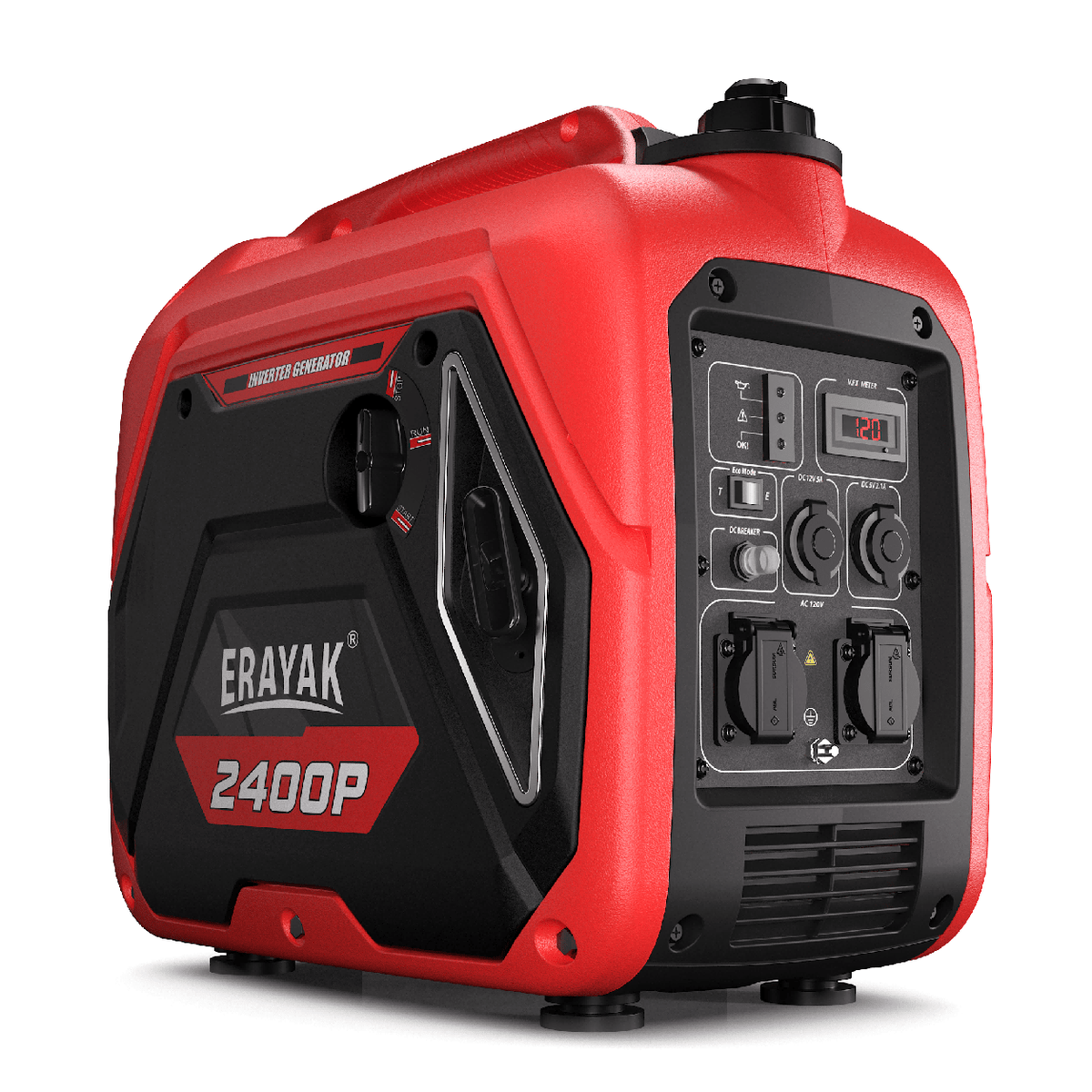
Erayak 2400P
Best fit for lighter electronics-focused use: laptop charging, phones, router/modem backup, small campsite power, and CPAP-style low-watt devices when allowed by the device manufacturer.
See the 2400P for Light Electronics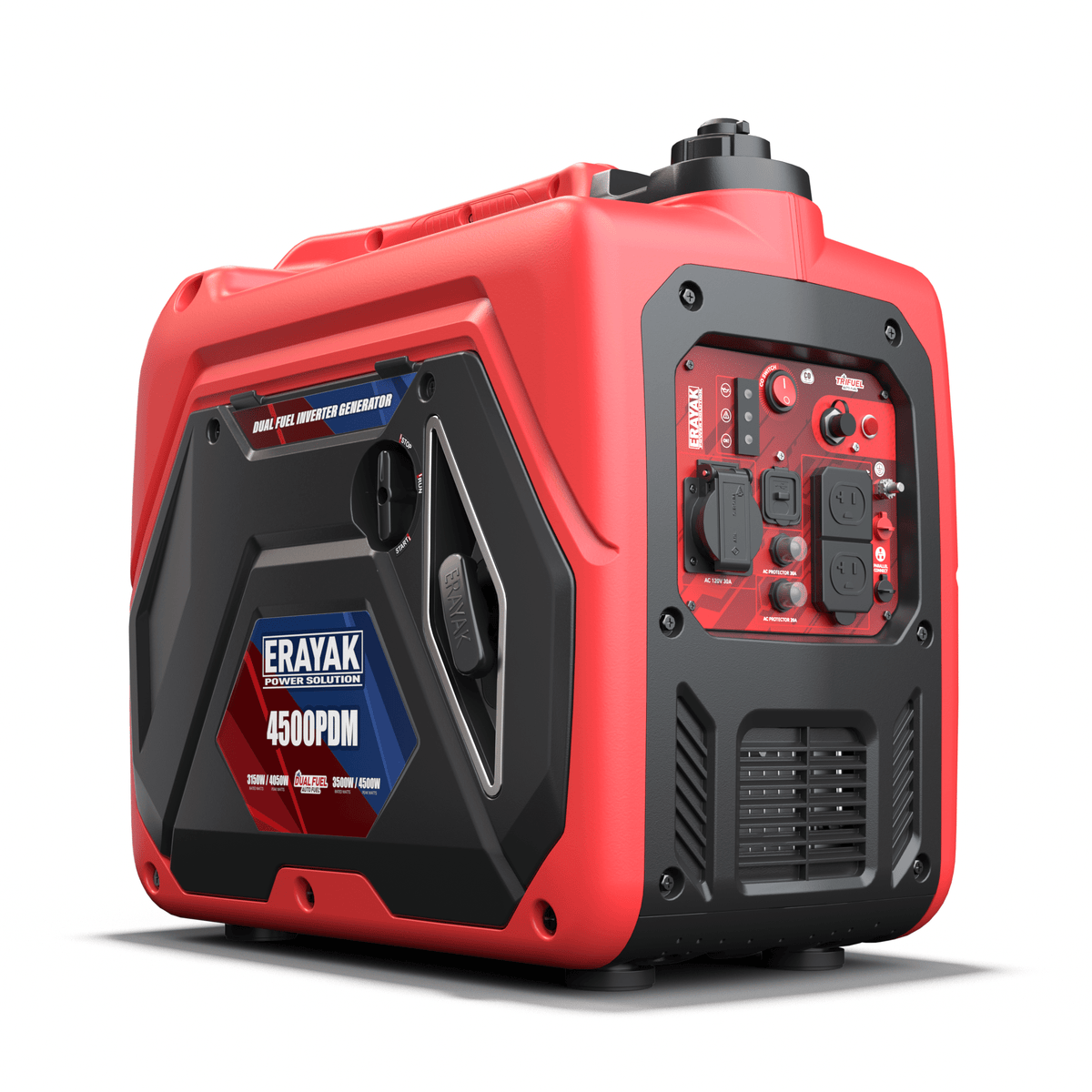
Erayak 4500PD
Best fit when sensitive electronics are part of a bigger load: smart RV gear, TV, refrigerator, chargers, router backup, and managed comfort loads where dual-fuel flexibility is useful.
See the 4500PD for RV and Backup PowerWhat Not to Do When Powering Electronics With a Generator
- Do not assume any generator is safe for electronics just because it has enough watts.
- Do not rely on a basic surge strip to fix high THD or unstable frequency.
- Do not plug in laptops, TVs, or routers while the generator is hunting, surging, or overloaded.
- Do not run a generator in rain without proper weather-safe protection and dry connections.
- Do not power critical medical equipment from a generator without a backup plan approved by the device manufacturer or medical provider.
- Do not run a generator indoors, in a garage, or near open windows, even for “just a few minutes.”
FAQ: Generators and Electronics
Can a generator damage electronics?
Yes. A generator can damage or disrupt electronics if it produces unstable voltage, high THD, frequency drift, or surges. Sensitive devices are safer on low-THD inverter generator power with proper cords, load management, and surge protection.
Are inverter generators safe for electronics?
Inverter generators are generally safer for electronics than many conventional generators because they electronically regulate the output and usually produce cleaner power. They still need proper outdoor setup, correct load sizing, and safe connection practices.
What THD is safe for electronics?
Many buyers use under 5% THD as a practical target for sensitive electronics, and lower is better. Always check the generator specifications and the device manual before connecting high-value electronics or battery chargers.
Will a surge protector protect electronics from a generator?
A surge protector can help with voltage spikes, but it does not clean high THD or unstable generator output. For sensitive electronics, start with a low-THD inverter generator and use surge protection as an added layer.
Can I plug a TV into a generator?
Yes, but a smart TV is best powered by a stable inverter generator rather than an unknown high-THD generator. Use a properly rated cord, avoid overload, and consider surge protection.
Can I use a generator to charge a power bank or portable power station?
Often yes, but the power bank or power station must accept generator input within its voltage, wattage, and frequency limits. Some units reject unstable input, so a low-THD inverter generator is usually the better choice.
Is it safe to run a CPAP machine on a generator?
It depends on the CPAP model, power adapter, and manufacturer guidance. Use a low-THD inverter generator only if the device maker allows it, and consider a dedicated battery or UPS backup. Do not rely on a generator alone for critical medical needs.
Can I run a generator indoors to protect electronics during an outage?
No. Never run a fuel-powered generator indoors, in a garage, in a shed, or near open windows. Carbon monoxide can be deadly. Operate generators outdoors with proper ventilation.


