

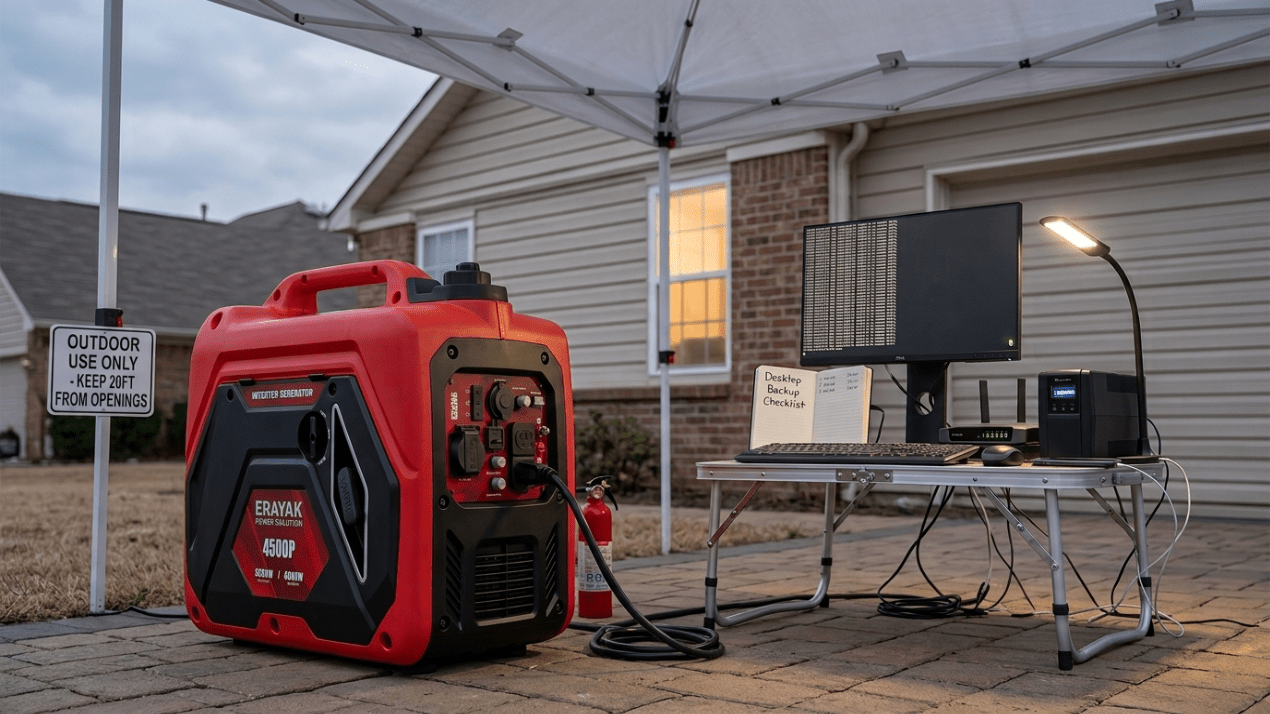
What Size Generator for a Desktop Computer and Monitor?
A desktop computer and monitor do not need a huge generator by themselves, but the right size depends on whether you are running an office PC, gaming PC, workstation, monitor, router, modem, printer, UPS, lights, and other outage essentials. This guide explains computer wattage, generator sizing, and how to protect sensitive electronics during a power outage.
Quick Answer
For a typical desktop computer and monitor, a 1,000W to 2,000W generator can often provide enough wattage if you are only powering the computer setup. For a gaming PC, workstation, multiple monitors, router, modem, lights, and phone charging, a 2,000W to 2,400W-class inverter generator is a more practical starting point.
If you also want to run a refrigerator, window AC, sump pump, microwave, or other home essentials during an outage, move up to a 4,500W-class inverter generator or larger. For computers, use an inverter generator or a properly sized UPS to help provide stable power for sensitive electronics.
How Many Watts Does a Desktop Computer and Monitor Use?
Desktop computer wattage varies widely. A basic office desktop may use far less power than a gaming PC with a high-end graphics card. Monitors, routers, speakers, external drives, and printers add more load.
Desktop Computer
A basic desktop may use roughly 100W to 300W during normal work. A gaming PC or workstation can use much more under heavy load.
Monitor
Many monitors use about 20W to 80W. Large, bright, or multiple monitors increase the total load.
Network + Office Gear
Router, modem, phone charger, desk lamp, speakers, and external drives can add useful but easy-to-forget watts.
Generator Size Chart for Desktop Computer and Monitor
Use this chart as a practical planning guide. Actual wattage depends on computer hardware, monitor size, workload, power supply efficiency, and other devices plugged in.
| Computer Backup Setup | Estimated Running Watts | Recommended Generator Class | Planning Note |
|---|---|---|---|
| Basic desktop + one monitor | 150W-400W | 1,000W to 2,000W may be enough | Best for computer-only backup |
| Desktop + monitor + modem/router | 200W-500W | 1,000W to 2,000W may be enough | Good for internet and remote work |
| Gaming PC + monitor | 400W-900W+ | 2,000W to 2,400W-class recommended | Depends heavily on GPU load |
| Workstation + multiple monitors | 500W-1,200W+ | 2,400W-class or larger | Check actual wattage with a meter if possible |
| Computer + monitor + router + lights + charging | 300W-900W | 2,400W-class recommended | Practical home office outage setup |
| Home office + refrigerator or window AC | Varies widely | 4,500W-class or larger | Size for the larger appliance loads |
Office PC vs Gaming PC Generator Size
A basic office PC, monitor, router, and modem are usually light loads compared with refrigerators, air conditioners, microwaves, or sump pumps. A compact inverter generator may be enough for a carefully managed computer-only setup.
A gaming PC or workstation can draw much more power when the CPU and GPU are under load. If you are gaming, rendering, editing video, or running a high-end workstation during an outage, plan for more headroom than a simple office desktop would need.
Can a Generator Power a Computer?
Yes. A generator can power a desktop computer and monitor if it has enough wattage and provides suitable power quality. For computers and networking gear, an inverter generator is usually the better choice because it is designed to provide cleaner, more stable power than many conventional open-frame generators.
For sensitive electronics, do not focus only on wattage. Also consider power quality, safe grounding, weather protection, extension cord rating, and whether you should place a UPS between the generator and the computer.
Can a Generator Damage a Computer?
A poorly sized generator, unstable voltage, bad cords, overloads, or improper setup can create problems for sensitive electronics. A desktop computer is also vulnerable to sudden shutdowns if the generator runs out of fuel, overloads, or is disconnected.
To reduce risk, use a properly sized inverter generator, avoid overloading it, use properly rated outdoor cords, and consider a UPS for short ride-through time and safer shutdowns. A UPS is especially useful for desktop PCs because it helps prevent abrupt power loss while you save work and shut down.
Should You Use a UPS With a Generator?
A UPS is a smart addition for desktop computer backup. It gives you time to handle a brief generator hiccup, save files, and shut down safely. It can also help smooth short power interruptions between utility power, generator startup, and generator shutdown.
Choose a UPS that is sized for your computer, monitor, and critical networking gear. If a UPS rejects generator power or switches frequently, reduce generator load, check generator stability, and make sure the UPS type is appropriate for your setup.
Computer + Monitor, Router, and Home Office Loads
Most outage setups are not just a computer and monitor. If you are working from home, you may also need a modem, router, desk lamp, phone charger, laptop charger, printer, external drives, and maybe a fan.
| Backup Scenario | What You Want to Power | Recommended Erayak Size |
|---|---|---|
| Desktop computer only | PC and one monitor | Erayak 2400P with plenty of reserve |
| Remote work setup | Desktop, monitor, modem, router, phone charging, light | Erayak 2400P |
| Gaming PC or workstation | High-load computer plus monitor and network gear | Erayak 2400P or 4500P depending on actual watts |
| Home office plus refrigerator | Work setup plus food protection | Erayak 4500P or 4500PD |
| Home office plus window AC | Work setup plus one-room cooling | Erayak 4500P or 4500PD |
| Larger home backup plan | Computer, refrigerator, freezer, router, lights, selected circuits | Erayak 6800PD or 6800PT |
Best Erayak Generator for Computer Backup
Erayak 2400P: Compact Backup for Desktop Computer + Monitor
The Erayak 2400P is the natural fit for a desktop computer, monitor, modem, router, phone charging, lights, and other small home office essentials when the load is carefully managed.
- Good match for computer, monitor, router, and small electronics
- Useful for remote work and light outage backup
- Best when refrigerator, AC, and microwave loads are handled separately
Erayak 4500P: Gas-Only Generator for Home Office + Essentials
The Erayak 4500P is a stronger choice when your computer setup is part of a larger outage plan with refrigerator support, lights, router, phone charging, and selected home essentials.
- Gas-only portable inverter generator
- Manual recoil start
- 55 lb lightweight design
- 2.25 gal fuel tank
- Up to 8 hours runtime
- THD < 1.2% for sensitive electronics
- 60.5 dB noise level
Erayak 4500PD: Dual-Fuel Flexibility for Outage Preparedness
The Erayak 4500PD is a practical 4,500W-class option when you want gasoline and propane flexibility for home office backup, camping, storm preparation, and longer outages.
- Useful for computer backup plus household essentials
- Dual-fuel flexibility for outage planning
- Good match for remote work, RV, camping, and portable power needs
Erayak 6800PD / 6800PT: More Headroom for Home Backup
Choose the Erayak 6800PD dual-fuel or 6800PT tri-fuel generator when your computer is one part of a larger backup plan with refrigerator, freezer, lights, router, selected circuits, and 120V/240V flexibility.
- 6800W peak power
- 5000W rated power on gasoline at 100% output
- 30A L5-30R outlet
- 30A 120V/240V L14-30R outlet
- Dual 120V household outlets
- TT-30R RV adapter accessory included for RV connection
Runtime and Load Management Tips
A desktop computer and monitor are usually modest loads, so runtime is often better than when powering air conditioners, microwaves, heaters, or pumps. Runtime still depends on total connected watts, generator fuel capacity, and how hard the generator is working.
Measure Real Wattage
If possible, use a plug-in watt meter to check the desktop, monitor, router, and accessories under normal use.
Use a UPS
A UPS helps protect open files and gives you time to shut down if generator power is interrupted.
Separate Big Loads
Do not start refrigerator, AC, microwave, or pump loads without checking total generator capacity.
Generator Safety for Computer Backup
A generator can power a computer, but the generator itself must stay outdoors. Never run a generator inside a home, office, garage, basement, shed, enclosed porch, or near open windows, doors, vents, or air intakes.
- Operate the generator outdoors only.
- Keep exhaust away from windows, doors, vents, and garages.
- Use working carbon monoxide alarms inside the home.
- Use properly rated outdoor extension cords.
- Keep cords away from standing water.
- Do not overload the generator.
- Do not backfeed your home through a wall outlet.
- Let the generator cool before refueling.
Keep Your Computer, Internet, and Home Office Running
For a desktop computer, monitor, router, and small electronics, the Erayak 2400P is the most natural starting point. For a home office plus refrigerator, lights, window AC, or outage essentials, choose the Erayak 4500P or 4500PD. For larger home backup plans, step up to the Erayak 6800 series.
FAQ: Generator for Desktop Computer and Monitor
What size generator do I need for a desktop computer and monitor?
For a typical desktop computer and monitor, a 1,000W to 2,000W generator may be enough for computer-only use. For a gaming PC, router, modem, lights, and other office loads, a 2,000W to 2,400W-class inverter generator is a more practical starting point.
Can a generator power a computer?
Yes. A generator can power a computer if it has enough wattage and suitable power quality. For sensitive electronics, an inverter generator and a properly sized UPS are usually better than relying on a rough, overloaded power source.
How many watts does a desktop computer and monitor use?
A basic desktop and monitor may use about 150W to 400W during normal work. A gaming PC, workstation, or multiple-monitor setup can use much more, especially under heavy CPU or GPU load.
Can a generator damage a computer?
Improper generator setup, unstable power, overloads, bad cords, or abrupt shutdowns can create risk for computers. Use a properly sized inverter generator, avoid overloads, and consider a UPS for safer shutdowns.
Should I use a UPS with a generator for my computer?
Yes, a UPS is recommended for desktop computer backup. It gives you time to save work and shut down safely if generator power is interrupted.
What size generator for a gaming PC and monitor?
For a gaming PC and monitor, plan around a 2,000W to 2,400W-class inverter generator unless you have measured a lower actual load. High-end GPUs and workstations may need more headroom.
Can I run a computer, monitor, and router on a generator?
Yes. A desktop computer, monitor, modem, router, and phone charging are usually modest loads. A compact inverter generator such as the Erayak 2400P can be a good fit when larger appliances are not added.
What is the best Erayak generator for computer backup?
For a desktop computer, monitor, router, and small electronics, consider the Erayak 2400P. For home office backup plus refrigerator, lights, or window AC, consider the Erayak 4500P or 4500PD. For larger home backup plans, consider the Erayak 6800 series.
